Calva
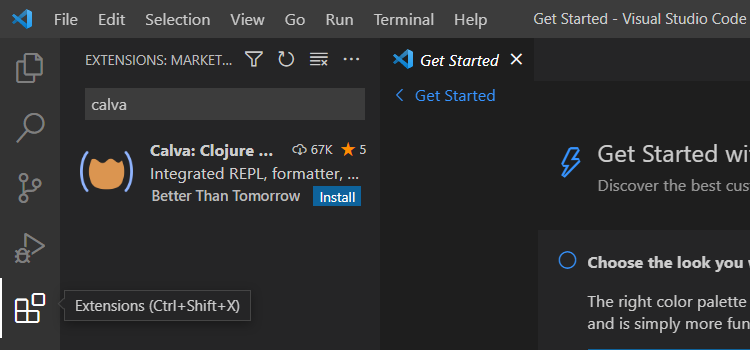
Once VS Code is installed, open Code, navigate to the Extensions tab,
and search for plus install Calva.
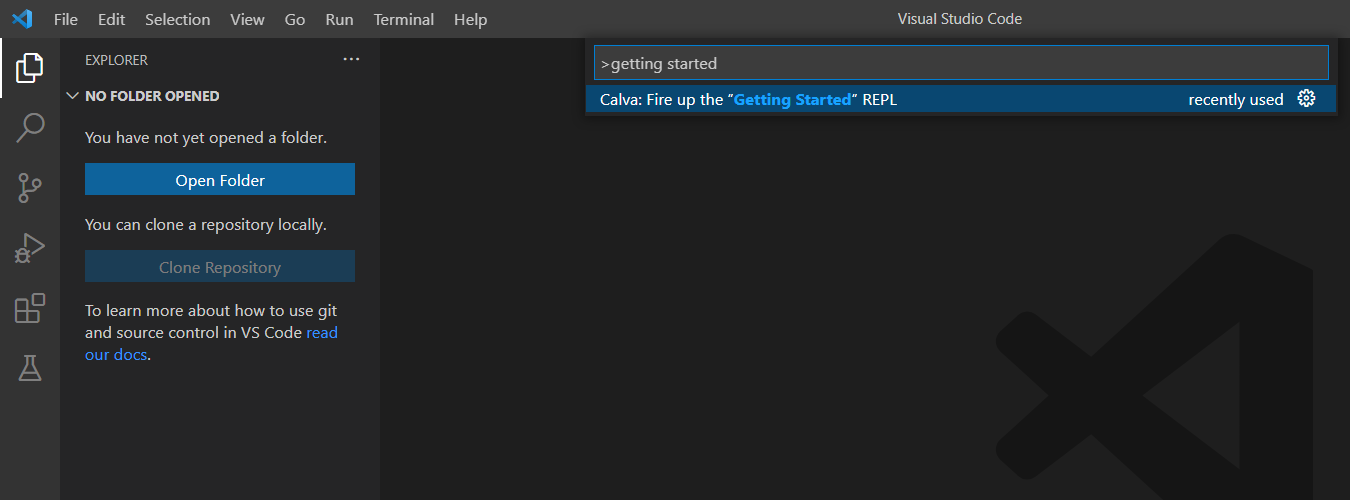
After installing Calva, go to View > Command Palette.
With a search in this command palette, you should see a command titled
'Calva: Fire up the "Getting Started" REPL'.
A whole lot should happen!
TODO: a whole lotta explainin'